
Nano-texture is worth its $150 if you're ordering a new MacBook Pro and reflections are what beat you outside. It cuts the mirror on the glass but adds no brightness, can't be added later, and isn't offered on a MacBook Air. A dim, washed-out screen needs more light instead.
Is the nano-texture display worth it for working outside?
For one kind of outdoor worker, yes. If your trouble outside is a bright patch of sky, a window or your own white shirt sitting on top of your work, nano-texture is the strongest fix Apple sells, and it is built into the screen, so there is nothing to fit or carry. Owners who use it in hard light describe it as comfortable and easy to read.
Nano Texture ultimate test
“This is an extremely bright and reflective environment and the nano texture was just beautiful, like reading a book.”
For others, it is $150 spent on the wrong problem. Nano-texture changes the surface of the glass; it does not make the panel brighter. If your screen looks grey and faint in the sun even when nothing is reflecting in it, the problem is washout: the daylight around you is simply much brighter than the screen. Glass can't fix that, and neither can a matte film. More light from the screen can.
The timing matters too. Nano-texture is a configure-to-order option, chosen when you buy. If you already own a MacBook Pro, the only way to get it is to buy another Mac.
What does Apple say nano-texture does?
Apple's claim is about reflections, and only reflections. On the MacBook Pro display page it says "the nano-texture option further reduces reflections and glare" (Apple, Liquid Retina XDR display). Its store page for Studio Display explains how the glass gets there.
“Nano-texture glass scatters light to further minimize reflectivity while delivering outstanding image quality in workspaces with bright light sources.”- Apple, Studio Display store page, describing its nano-texture glass option, October 2026
Scattering is the key word. Light that would bounce straight back at you as a sharp mirror image gets spread into a soft sheen. Nothing in Apple's specs adds brightness for it: the MacBook Pro tech specs list one set of brightness figures for the display, up to 1000 nits outdoors for everyday (SDR) content in temperatures below 25° C, and then "Configurable with: Nano-texture display". The brightness you get outside is the same with either glass. What changes is how much sky you see on top of it.
Glare or washout: which problem do you have outside?
A quick test tells you which half of the problem you are fighting. Look at the screen and tilt it a little. If a bright shape slides across the glass, that is glare, and nano-texture, a matte film, a hood or simply sitting with the sun behind you will help. If the whole screen stays grey and flat whichever way you tilt it, that is washout, and only more light from the screen helps.
Most people outside get both at once, so the best set-up usually deals with both. The full positioning checklist, and why glossy glass turns into a mirror, is in how to stop laptop glare in the sun.
Nano-texture vs standard glass vs a brightness app
| Standard glass | Nano-texture glass | Standard glass + Outshine for Mac | |
|---|---|---|---|
| Brightness outside | Up to 1000 nits SDR outdoors on 2024 and later Pros (Apple) | Same figures in Apple's specs | Past the slider on Macs with EDR headroom; on 2024 and later Pros the gain is mostly readability |
| Picture indoors | Glossy; owners call it punchier for HDR | Some owners report less HDR punch and a softer look | Unchanged when switched off |
| Cost | Included | +$150, at order | $9.99 early access ($14.99 regular), one-time |
| Add to a Mac you already own | Not applicable | No, only when ordering a new MacBook Pro | Yes, on macOS 13 or later; the lift needs a display with EDR headroom |
| MacBook Air | Yes | Not offered | Runs on it, with a smaller lift |
| Care | Any screen cloth | Apple Polishing Cloth or a display microfiber cloth; owners report keyboard marks | Nothing extra |
Two rows decide it for most people: cost, and whether it works on the Mac you already own. Nano-texture is $150 and only at checkout on a new MacBook Pro. Outshine for Mac is $9.99 and installs on the Mac in front of you, MacBook Air included. The two also do different jobs, so they are not either-or: the glass deals with reflections and Outshine adds brightness.
What do owners report after months with nano-texture?
Owners who like it most mention places they can't control, like planes, trains, cafés and patios. The complaints come later and are about the surface itself. A long-term report on r/macbookpro with 436 upvotes comes from an owner who used a 14-inch M4 MacBook Pro with nano-texture for 21 months and then went back to standard glass on the next Mac.
Nano Texture: 21 Months Later
“I loved the nano-texture display on my 14 inch M4 MacBook Pro for travel and bright rooms, but after 21 months it had frequent keyboard marks, permanent marks that would not wipe off, and one long pressure line from being packed in a backpack.”
The same owner found HDR video had less punch than on a glossy MacBook Pro, and blooming around bright text on dark backgrounds more noticeable. The owner still called nano-texture excellent for bright, uncontrolled places, and chose standard glass this time because they plan to keep the new Mac for eight years or more. In the replies, several owners said a thin microfiber cloth laid between screen and keyboard before closing the lid stopped the keyboard marks. Another reply said the marks happen on glossy screens too.
Reports like these are single people with their own Macs, so treat them as things to watch for, not as defect rates. Apple publishes none.
Which Macs can you get with nano-texture?
Among laptops, only the MacBook Pro, and only from the 2024 (M4) generation on. On 31 October 2026, Apple listed it for:
- 14-inch MacBook Pro with M6, from $1,999 in the US Apple Store, or $2,149 with nano-texture.
- 14- and 16-inch MacBook Pro with M5 Pro or M5 Max, +$150 on every configuration.
- MacBook Pro with PROLED XDR display (OLED, on pre-order): Apple lists an antireflective coating as standard and "Nano-texture glass option" in the specs. On this model the standard glass is already coated against reflections, so nano-texture is a step on top of that rather than a step up from plain glossy glass.
- Not offered: any MacBook Air, the 2021 to 2023 14- and 16-inch MacBook Pros, and the old 13-inch MacBook Pro. It cannot be added to a Mac after purchase.
Apple's nano-texture cleaning page also lists Studio Display, Pro Display XDR, iMac and iPad Pro (M4) as devices that can have it, which helps if you work at a desk by a bright window. For the brightness side of the Air vs Pro choice, see MacBook Air vs Pro screens outside.
How do you clean a nano-texture display?
“And realistically, how easy is it to keep clean when you’re only supposed to use the Apple cloth? What happens if it gets dirty or lost while I’m abroad?”- A remote worker choosing between glossy and nano-texture before travelling in Southeast Asia, on r/remotework, May 2025
The Apple cloth is not the only option. Apple's support page, dated 22 October 2026, says you can clean a nano-texture display with "A clean Apple Polishing Cloth", "A different microfiber cloth made for electronic displays", or "A fabric made from a blend of cotton and Elastane or SPANDEX." For hard-to-remove smudges, it allows a cloth moistened with 70-percent isopropyl alcohol, used infrequently (Apple Support).
A MacBook Pro ordered with nano-texture comes with a polishing cloth in the box; Apple's specs say "Polishing cloth (only with nano-texture display option)". If you lose it on the road, a display microfiber cloth from any shop will do.
Should you get standard or nano-texture glass?
- You are ordering a 14- or 16-inch MacBook Pro now, not next year.
- You work outside, in cafés or by big windows several times a week, and keep tilting the screen to dodge reflections.
- You mostly read, write and code, rather than grade HDR video or judge photos.
- You are fine wiping the screen often and closing the lid over a thin cloth.
- You mostly work indoors under controlled light, or watch a lot of HDR video.
- Your outdoor problem is a dim, washed-out screen rather than reflections. Glass can't fix that; more brightness can.
- You already own your MacBook Pro or are buying a MacBook Air. Nano-texture isn't available to you, so position, a matte film and a brightness app are the options.
- You plan to keep the Mac for many years and pack it tightly in a bag, where owners report marks that do not wipe off.
What if you already own a MacBook Pro?
Then nano-texture is off the table for this Mac, and the useful question is which half of the problem you still have. For reflections, start with position: sun behind or beside you, something dark behind your head, and a small tilt until the bright patch leaves the glass. A matte film is the add-on version of nano-texture, with the trade-offs explained in anti-glare screen protectors for MacBook.
For washout, add light. Outshine for Mac is a menu-bar app that uses the extra brightness macOS keeps in reserve for HDR (EDR). On a 2021 to 2023 XDR MacBook Pro, which shows everyday content at 500 or 600 nits, it pushes the screen past the brightness slider. On a 2024 or later Pro, macOS already shows everyday content at up to 1000 nits outdoors, so the gain is mostly readability: the Reading and Outdoor presets lift white pages and backgrounds and leave text alone, and Blazing lifts the whole screen evenly. It can never go past what Apple lists for the panel.
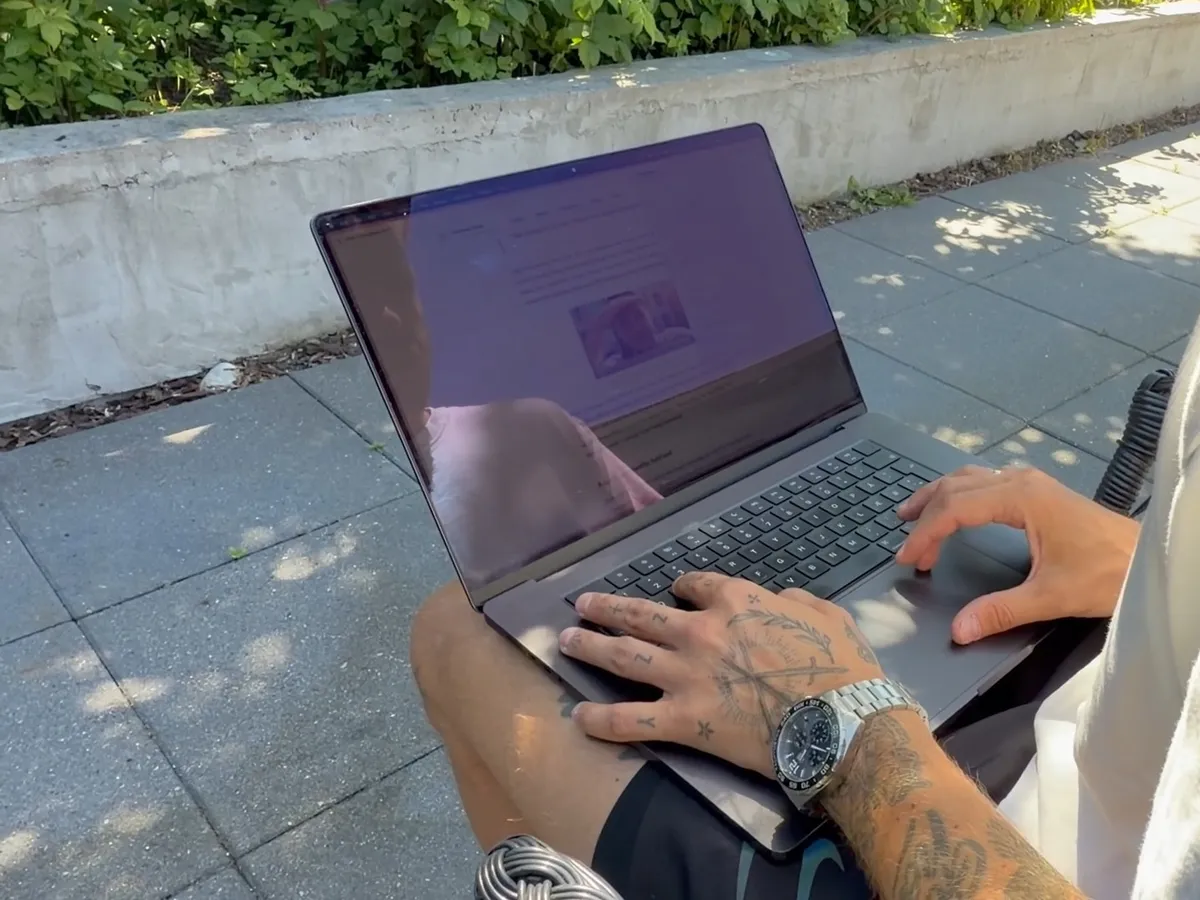
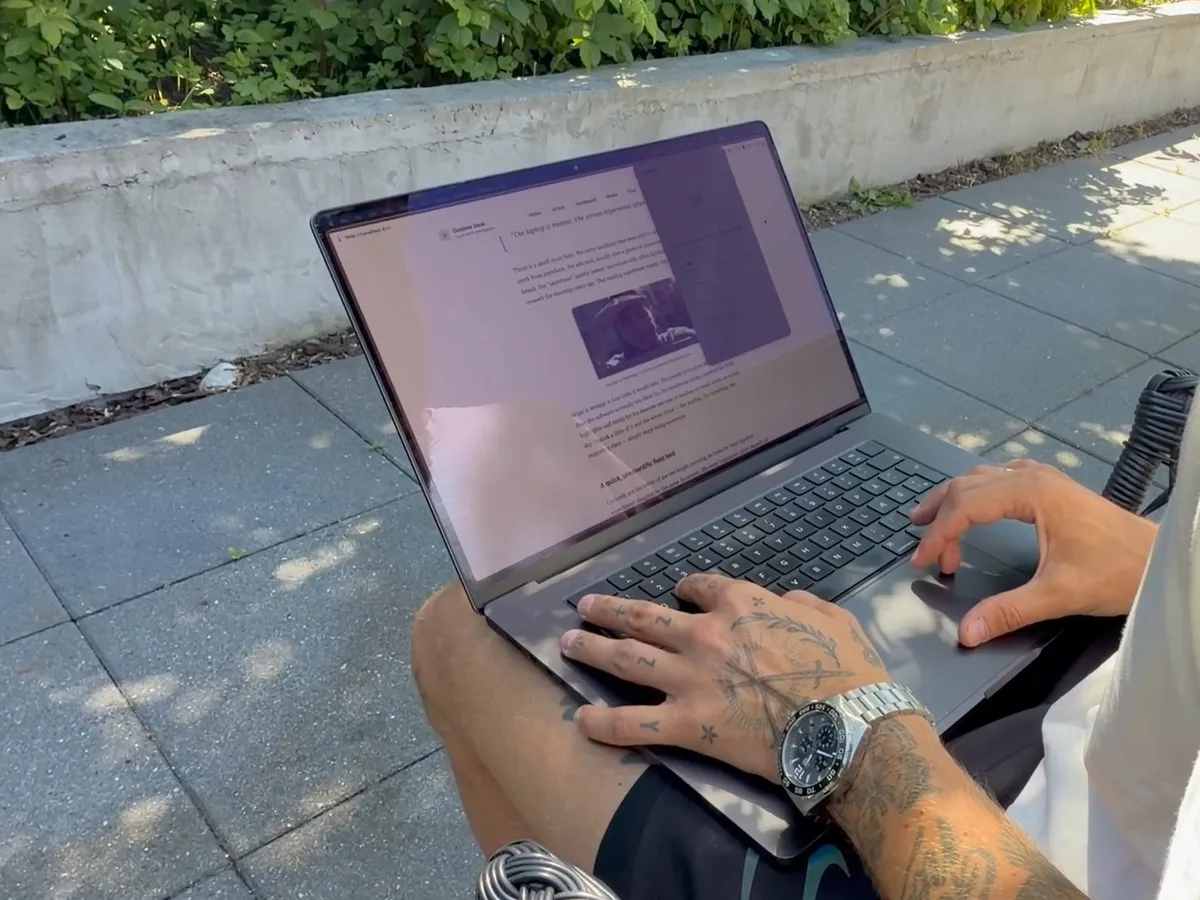
The prices are far apart. Nano-texture is $150 at checkout, about 7.5% on top of the cheapest 14-inch MacBook Pro. Outshine for Mac costs $9.99 in early access ($14.99 regular), one-time, and works free on the left half of the screen with no time limit, so you can compare both halves side by side before paying.
Glass and brightness are separate halves, so you don't have to pick one. If you order nano-texture, it calms the reflections and Outshine is the brightness half to add on top. We have not yet tested Outshine on a nano-texture or PROLED MacBook Pro, so if you have one, use the split-screen trial to see what it does on yours.
The Mac app that handles all of this for you.
Four presets - Reading, Outdoor, Blazing and Dark - for every kind of light. Switch from your menu bar in one click. No settings archaeology.
Either way, the screen is the only thing between you and a full day outside. Once the glass is decided, the rest of the set-up is in how to see your MacBook screen in the sun.
Questions people ask
What is a nano-texture display?
Nano-texture is a glass option Apple sells on the MacBook Pro, Studio Display, Pro Display XDR, iMac and iPad Pro (M4). Apple says the glass "scatters light to further minimize reflectivity", so windows and sky show up as a soft sheen rather than a sharp mirror image. It does not add brightness.
Is the nano-texture display worth it on a Mac?
It is worth it if you are ordering a 14- or 16-inch MacBook Pro and reflections from windows, lamps or the sky bother you often. It costs $150 in the US Apple Store (October 2026) and can't be added later. If you mostly work indoors or want the punchiest HDR picture, standard glass suits you better. If your outdoor problem is a dim screen, glass won't fix it; a brightness app such as Outshine for Mac adds the light, on the Mac you already own.
Should I get standard or nano-texture glass?
Get nano-texture if you work in bright, uncontrolled places several times a week and mostly read, write or code. Get standard glass if you work under controlled light, care about HDR video and photo work, or don't want to wipe the screen often. Owners report keyboard marks on nano-texture glass, and some say a thin cloth between screen and keyboard prevents them.
Is nano-texture better than OLED?
They are different things, and Apple now sells both together. OLED is the panel type: the MacBook Pro with PROLED XDR display uses a tandem OLED panel with up to 2000 nits peak SDR brightness outdoors and an antireflective coating as standard. Nano-texture is a glass finish, offered as an option on that model and on the 14- and 16-inch MacBook Pro with Liquid Retina XDR.
Is a nano-texture display better for your eyes?
Apple makes no eye-health claim for nano-texture. What it says is that the glass further reduces reflections and glare, so you spend less effort reading around a bright patch. The glass does not change how bright the screen is.
Does a nano-texture display need a screen protector?
Apple does not call for one. Its cleaning page for nano-texture displays lists an Apple Polishing Cloth, a microfiber cloth made for displays, or a cotton and Elastane fabric, and 70-percent isopropyl alcohol for stubborn smudges. To avoid keyboard marks, some owners lay a thin microfiber cloth between screen and keyboard before closing the lid.
Read next: How to stop laptop glare in the sun, Anti-glare screen protectors for MacBook and MacBook nits by model.