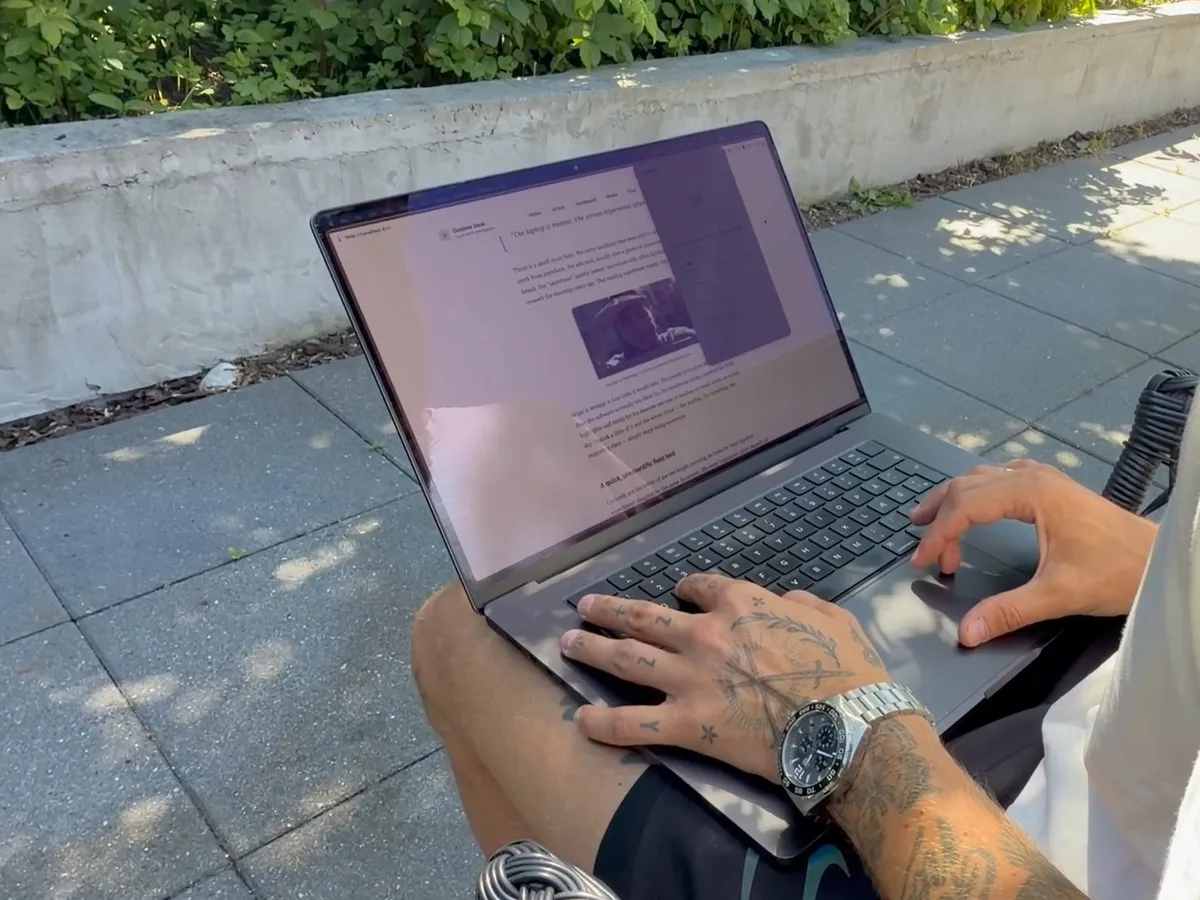

MacBrightness and Outshine for Mac both push a MacBook past the brightness slider, but they're built for different jobs. MacBrightness ($5 once) makes the keys go further on a Pro or Max-chip MacBook Pro. Outshine has four presets for reading in sun and also runs on MacBook Air.
MacBrightness's facts on this page are as stated on its own pages, macbrightness.com and its guides, read on 31 October 2026. Where it doesn't say something, we say it doesn't say it.
What MacBrightness is made for
MacBrightness lets the display go brighter than the macOS slider allows, using the extra range Apple keeps for HDR. Its pitch is simplicity: "It works in every app, on the brightness keys you already use." You press brightness up past the old limit and the whole screen gets brighter. Its site says setup takes about thirty seconds, with no account.
Price: $5 one-time for a Single license for your personal devices, $30 for up to 5 devices and $50 for up to 10, with free updates and no subscription. That makes it the cheaper of the two, and the team licenses make several Macs easy.
Supports: a 14-inch or 16-inch MacBook Pro with an M-series Pro or Max chip, or a Pro Display XDR, on macOS 13 or later. Its FAQ says other screens top out at their normal maximum, and names the MacBook Air, Intel Macs, the M1 13-inch MacBook Pro and the Studio Display.
Free mode: it opens in Splitscreen Mode, where half the screen gets the extra brightness, free "for as long as you want". A license brightens the whole screen. Its guides also give sound free advice for any Mac outside, such as turning off automatic brightness and checking Low Power Mode.
What Outshine for Mac does for working outside
Outshine for Mac is a small menu-bar utility with one job: making a MacBook readable in direct sun. Mickey Switzer built it for a moment most people who work outside know:
“The screen suddenly turns into a mirror, you sit there squinting, and all of a sudden you're working super slowly because you can see 20% of what's going on on the screen.”- Mickey Switzer, maker of Outshine for Mac (interview, October 2026, translated from Danish)
It uses the same extra brightness macOS keeps for HDR, but instead of one bigger range on the brightness keys, it gives you four presets for different light:
- Reading and Outdoor brighten white pages and backgrounds and leave text and dark interface alone, so the page gets brighter while the letters stay crisp. Reading is the gentle one, Outdoor the everyday one for sun.
- Blazing lifts the whole screen evenly for the most brightness in hard midday light, at some cost to contrast.
- Dark turns light app backgrounds dark with bright text, for when big white areas wash out.
An intensity slider and the shortcuts Option-Command-O (on and off) and Option-Command-Up/Down (intensity) cover the rest. An optional "Suggest Blazing when bright" setting offers a one-tap switch when it gets brighter around you; it never switches by itself. There are no analytics and no telemetry in the app.
Reading, Outdoor and Dark need macOS Screen Recording permission, because they have to see what is on screen to know what to lift. It stays on the Mac, and nothing is stored or uploaded. Blazing works without the permission.
- Remove reflections. It makes the screen brighter, not the glass less shiny. Keep the screen turned away from the sun.
- Go past the display's own limit. It uses what the display and macOS allow at that moment, the same ceiling MacBrightness works under.
- Give an Air what a Pro has. On a MacBook Air the lift is much smaller than on a 14-inch or 16-inch Pro, and we haven't measured it in direct sun yet.
Can an app make a MacBook Air brighter?
A little, at most. MacBrightness doesn't support the Air, and its own Air guide answers the question plainly:
“No. Unlike the 14-inch and 16-inch MacBook Pro, the Air does not hold extra brightness in reserve. When the slider is at the top, you are at the panel's true ceiling. An app cannot add brightness the hardware doesn't have. Make sure no settings are capping it first.”- MacBrightness, MacBook Air not bright enough? What you can (and can't) do, June 2026
For the slider itself, that is right. Apple's MacBook Air specs list 500 nits and no separate HDR brightness, and the Air has far less spare headroom than an XDR MacBook Pro. The same MacBrightness guide also says the Air tops out around 500 nits "with a slightly higher peak for HDR content", so the reserve is small rather than zero.
Outshine for Mac runs on the MacBook Air (macOS 13 or later) and uses whatever extra headroom macOS grants at that moment. On an Air that is much less than on a 14-inch or 16-inch Pro, so the lift is smaller, and we don't put a number on it until we have measured one in direct sun. The fair test is the free split-screen trial on your own Air, outside, with the slider at the top. For what the Air reaches without any app, see how bright a MacBook Air gets.
MacBook Air doesn’t get as bright as the Pro, right?
“I’m a bit struggling to see in the sun here…”
Whatever app you use, MacBrightness's free Air tips are worth doing first: turn off Automatically adjust brightness in System Settings > Displays, check that Low Power Mode isn't on, and sit with your back to the sun so the lid shades the glass.
How bright can a 14-inch or 16-inch MacBook Pro get?
On 2021 to 2023 MacBook Pros, everyday content stops at 500 or 600 nits, so the gap up to the 1000 nits XDR level is large. From the 2024 M4 models on, Apple lists "SDR brightness: up to 1000 nits (outdoor)": macOS already goes that high by itself in bright light. On those Macs an app mostly gives you the extra range whenever you want it, rather than only when macOS judges the light bright enough, and Outshine's Reading and Outdoor presets add readability (a brighter page, text left alone) more than extra full-screen nits.
The 14-inch MacBook Pro with the base M3, M4 or M5 chip also has a Liquid Retina XDR display, per Apple's M3 tech specs. MacBrightness lists only Pro and Max chips, so those Macs fall outside its stated requirements. Outshine runs on them. The guide to making a MacBook brighter than its maximum explains the HDR headroom model by model.
MacBrightness vs Outshine side by side
| MacBrightness | Outshine for Mac | |
|---|---|---|
| Built for | Twice the brightness on the keys you already use, in every app | Reading and working outside in direct sun |
| Price | $5 Single (your personal devices), $30 for up to 5 devices, $50 for up to 10; one-time, free updates | $9.99 early access, then $14.99; one-time, one Mac per license, free updates |
| Free trial | Splitscreen Mode, half the screen, no time limit | Split-screen (left half), no time limit |
| Presets for sun | Not stated | Reading, Outdoor, Blazing, Dark |
| What gets brighter | The whole screen, in every app | Reading and Outdoor: white pages and backgrounds, text left alone. Blazing: the whole screen |
| 14-inch and 16-inch MacBook Pro, Pro or Max chip | Yes | Yes, with the largest effect |
| 14-inch MacBook Pro, base M3, M4 or M5 chip | Not in its stated requirements | Yes |
| MacBook Air | No (per its FAQ) | Yes, with a smaller lift |
| 13-inch MacBook Pro | No (needs a 14-inch or 16-inch Pro) | Yes, with a smaller lift |
| External displays | Pro Display XDR | The first display that supports EDR; no boost on a normal (SDR) monitor |
| macOS | 13 or later | 13 Ventura or later |
Which one should you pick?
- Pick MacBrightness if you have a 14-inch or 16-inch MacBook Pro with a Pro or Max chip, or a Pro Display XDR, only want the whole screen brighter on your brightness keys, and want to pay as little as $5, or need one license for up to 10 devices.
- Pick Outshine for Mac if you work outside and need to read and write in the sun, want presets that brighten the page and leave the text alone, want a Dark preset for when white apps wash out, or have a MacBook Air, a 13-inch MacBook Pro or a 14-inch Pro with the base chip, none of which MacBrightness lists. Its free split-screen trial has no time limit, so you can test it on your own terrace before you pay.
- Not both at once. Both use the same extra brightness on the same display, so run one at a time. Each starts in a free split-screen mode, so the fair test is to try them one after the other, outside, in the same light.
Vivid is the other app that comes up in the same searches, and the Vivid vs Outshine comparison covers it the same way. Every other option, from BrightIntosh to BetterDisplay, is in Mac brightness apps compared by need.
The Mac app that handles all of this for you.
Four presets - Reading, Outdoor, Blazing and Dark - for every kind of light. Switch from your menu bar in one click. No settings archaeology.
Questions people ask
Is MacBrightness free?
MacBrightness is free in Splitscreen Mode, which brightens half the screen with no time limit. The whole screen needs a one-time license: $5 for your personal devices, $30 for up to 5 devices or $50 for up to 10, per macbrightness.com in October 2026.
Is MacBrightness cheaper than Outshine?
Yes. MacBrightness costs $5 one-time for your personal devices. Outshine for Mac costs $9.99 in early access and $14.99 after that, one-time, with one Mac per license. Both have a free split-screen mode with no time limit.
Does MacBrightness work on a MacBook Air?
No. MacBrightness supports the 14-inch and 16-inch MacBook Pro with a Pro or Max chip and the Pro Display XDR, and its FAQ lists the MacBook Air among the screens with no extra range to unlock. Outshine for Mac runs on the MacBook Air, with a smaller lift than on an XDR MacBook Pro.
Is MacBrightness safe for the display?
MacBrightness says it uses the extra brightness range Apple already sustains for HDR, without low-level hacks, and that macOS still eases off peak brightness when the panel gets too warm. Like any brighter screen, it uses more battery.
What is the difference between MacBrightness and Outshine?
MacBrightness makes the brightness keys go further on 14-inch and 16-inch MacBook Pros with a Pro or Max chip, for $5. Outshine for Mac is made for working in the sun, with four presets (Reading, Outdoor, Blazing and Dark), where Reading and Outdoor brighten white pages and leave text alone, and it also runs on MacBook Air and 13-inch Pros.
Can you run MacBrightness and Outshine together?
Not at the same time. Both use the same extra brightness on the same display, so quit one before you start the other. Both have a free split-screen mode, so you can compare them one after the other in the same light.
Read next: Vivid vs Outshine, Mac brightness apps compared and MacBook Air brightness, explained.